At a glance
-
9
password rules, each ticked as it is met
-
15 min
lockout after three failed sign-in attempts
-
3
Knowledge Centre headings: your customers, your employees and your business
-
10
search suggestions at most, four to eight on mobile
The brief
V-Hub gives businesses free digital advice: a call with a digital expert, a bespoke action plan, and content to watch, read and listen to in a Knowledge Centre. We designed the next version of how people join and sign in, a personal home page, and a Knowledge Centre tailored to each business.
The challenge
Accounts needed stronger security, but signing in still had to feel simple. That meant strict password rules, one-time codes and a lockout after failed attempts, each with a clear message and a way to get help.
The Knowledge Centre had a different problem. It was packed with useful content, so the job was helping each business find what mattered to it.
My role
My experience department at Born ran this work. I set the UX strategy and led the research and design with the team.
I articulated it through sign-up and sign-in flows, desktop and mobile screens for every state, email templates, best-practice notes on search and filtering, and designs for the home page and the tailored Knowledge Centre.
What we did
- Redesigned sign-up in short steps, with the password set from an emailed link.
- Added one-time security codes by email, SMS as an option, and a lockout after three failed sign-in attempts.
- Designed an email for every outcome, from account created to security codes and reminders.
- Designed a personal home page around an action plan and a call with a digital expert.
- Tailored the Knowledge Centre with preferences, saved content and recently viewed articles.
- Set out best practice for filters and assisted search, then designed every search state.
Signing up
Sign-up asks whether you're an existing Vodafone customer, then for your name, business, email and country. V-Hub then emails a link to set a password, with a reminder if it isn't set within three days.
Every outcome has its own email and next step: account created, account already exists, or registration failed with a route to the help desk. Once the password is set, people land on their home page.
Passwords and codes
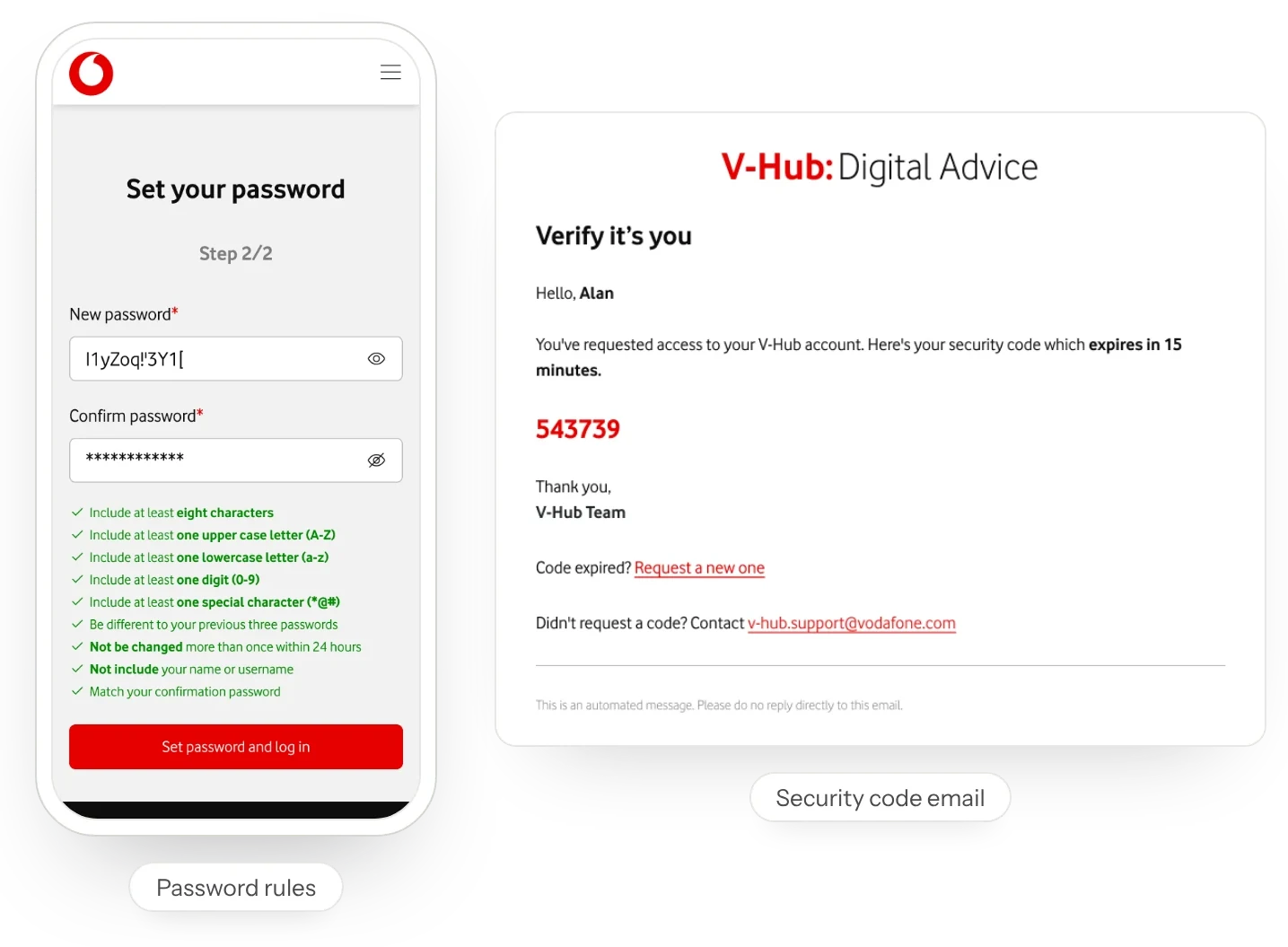
The password screen lists nine rules, from at least eight characters to not reusing any of your last three passwords, and ticks each one as it is met.
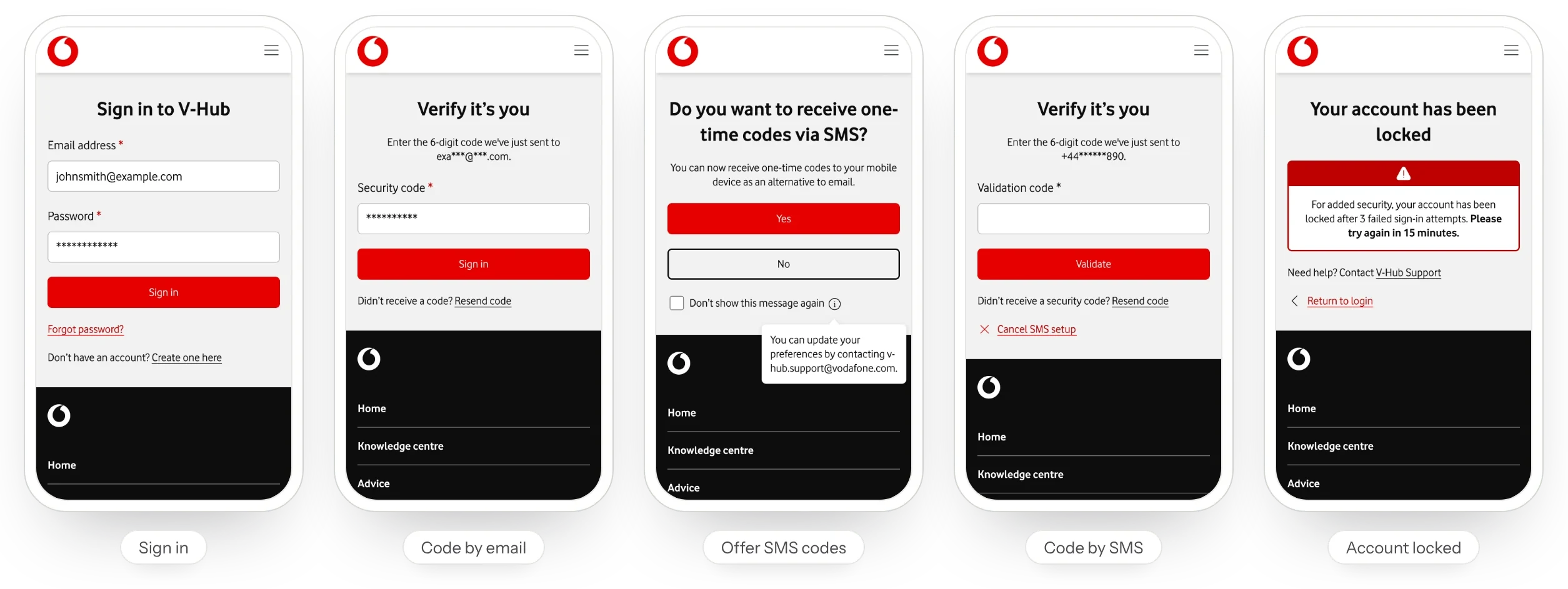
Signing in sends a six-digit code by email that expires in 15 minutes. A wrong code shows how many attempts are left, and three failed sign-ins lock the account for 15 minutes, with a link to support. After signing in, people can choose to get codes by SMS instead, validate their number with a code, and get an email to confirm the change.
Home page
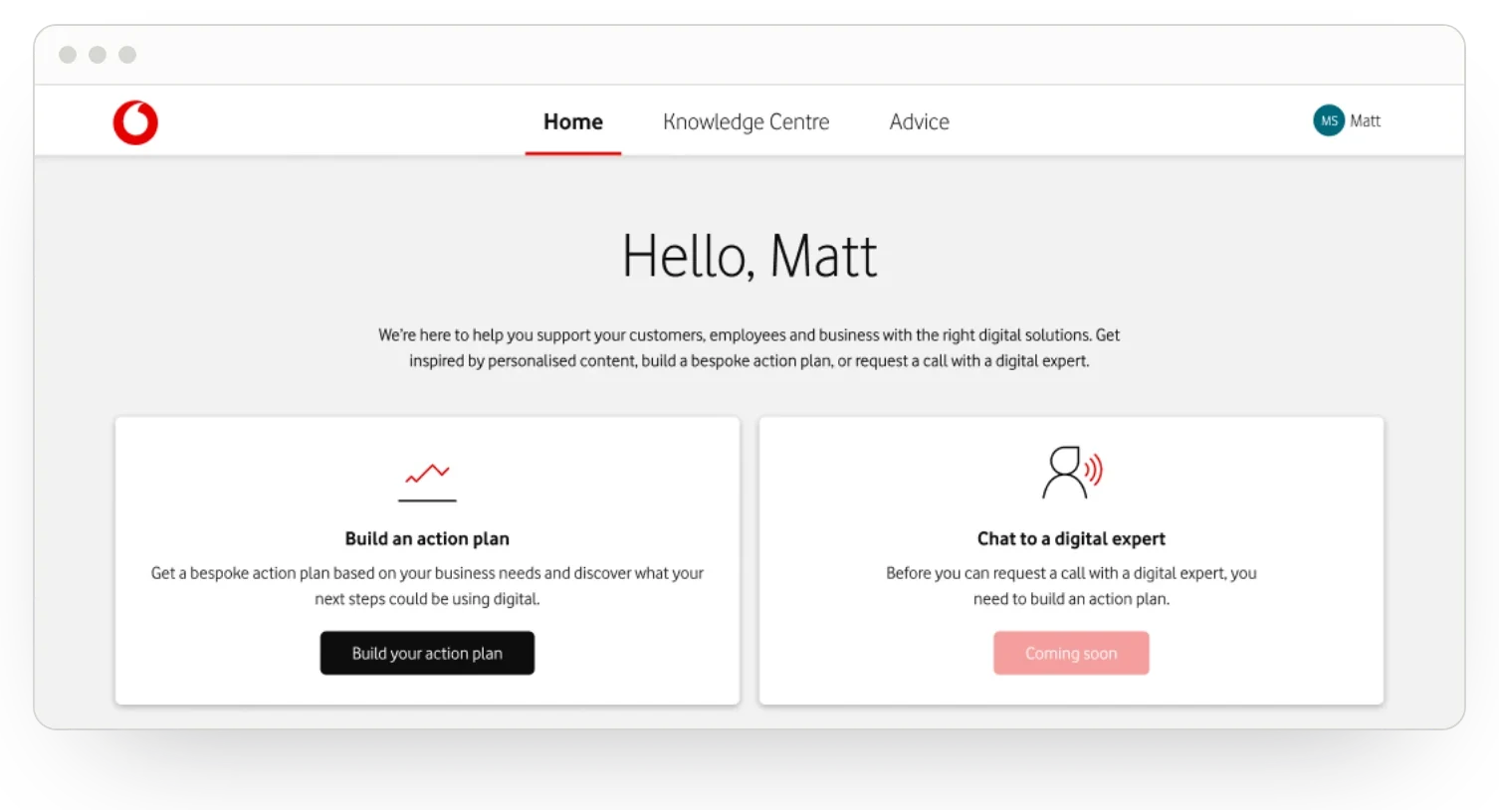
The home page greets people by name and offers two next steps: build an action plan, or chat to a digital expert once the plan is in place. A third card invites them to set their preferences.
Emails at 14 and 30 days remind people who haven't yet built a plan or booked a call.
Knowledge Centre
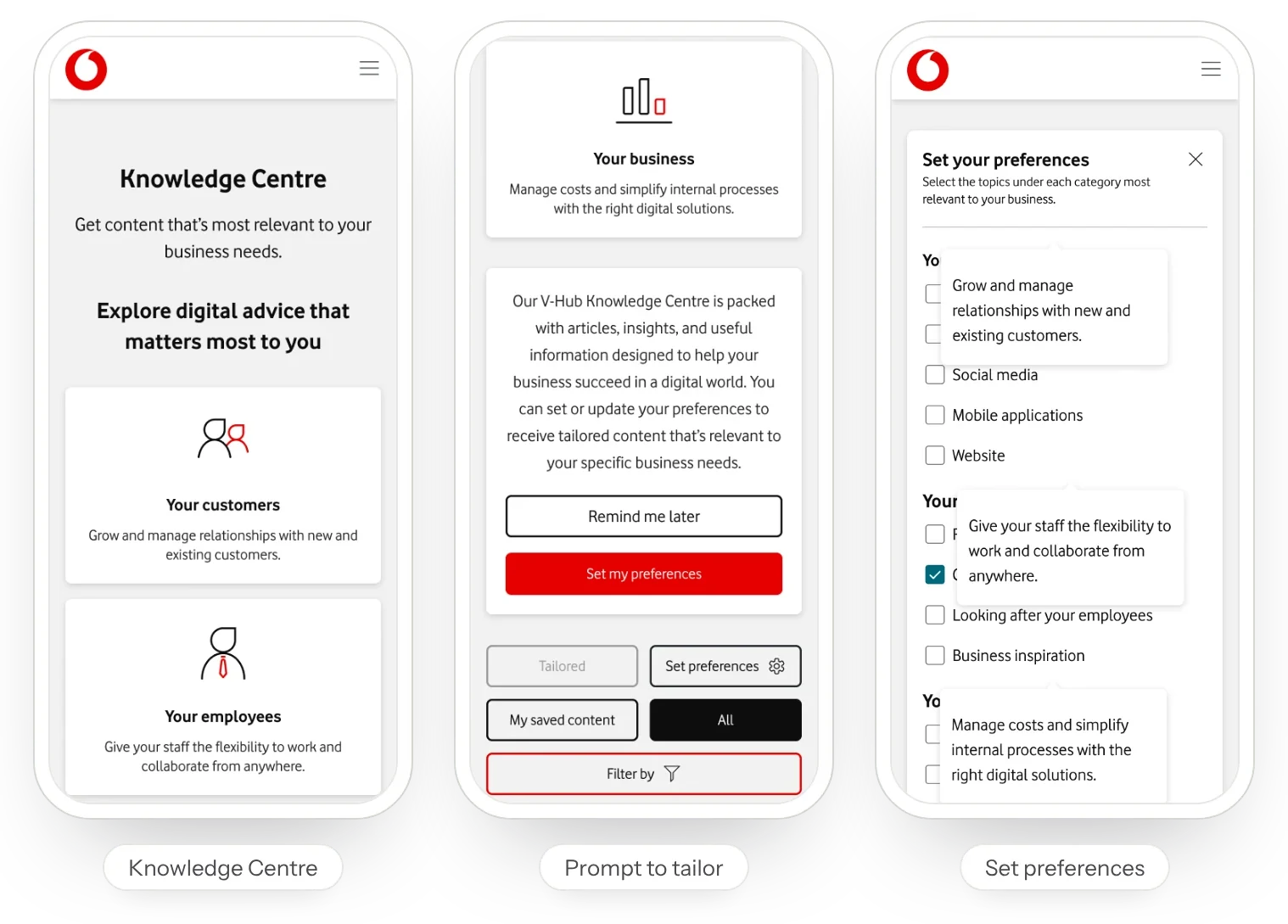
On a first visit, the Knowledge Centre explains what it offers and asks people to set their preferences or be reminded later. Topics sit under three headings: your customers, from SEO to social media; your employees, from hybrid working to looking after your team; and your business, from saving money to cybersecurity.
People then switch between a tailored view, everything, and their saved content, and pick up recently viewed articles where they left off. Filters apply in one go, show the number of results, and clear one at a time or all at once.
Search
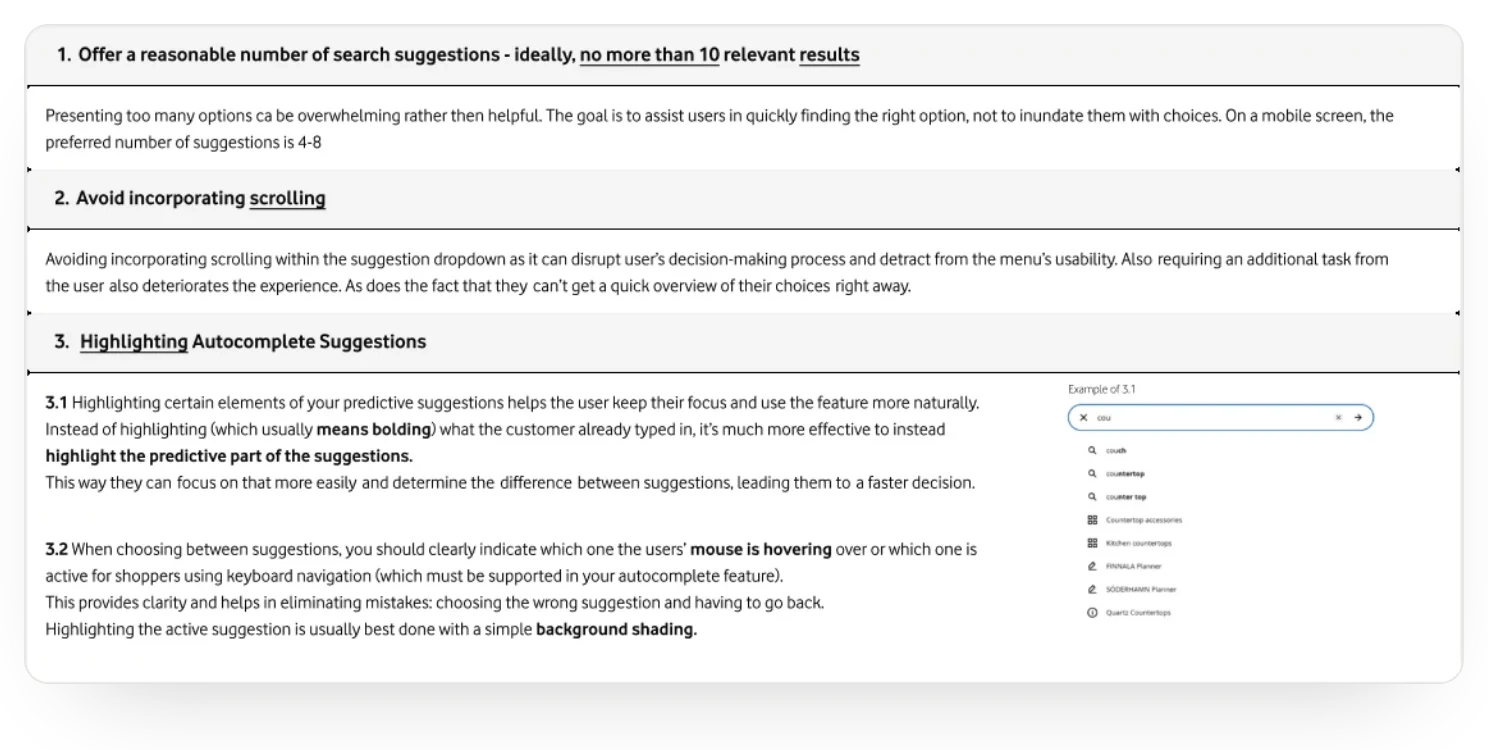
We set out best practice for assisted search before designing it: no more than ten suggestions, four to eight on mobile, no scrolling inside the list, and the predicted part of each suggestion highlighted.
Then we designed every state. On focus, search shows recent searches. Typing shows related past searches, then recommendations. A new word brings up the most searched matches, a typo still gets suggestions, and a search with no results offers recommended articles instead.
The result
A simpler and safer way into V-Hub, and a Knowledge Centre that adapts to each business. Every sign-up and sign-in state and email was designed for desktop and mobile, alongside a personal home page and search that helps people find the right advice.