The brief
After Breitling acquired Universal Genève, the brand needed a new website that captured its essence and heritage. It would be a rich editorial hub for collectors, showcasing the brand's iconic and vintage watches, with a magazine, after sales and contact.
The challenge
There was nothing to buy yet, so the site had to earn attention through stories: the brand's history, its icons and the people who collect them.
It had to open with a teaser page, grow into the full site, and stay ready for e-commerce and a community for fans later on.
My role
My experience department at Born ran this work. I set the UX strategy and led the design work and the client reviews with the team.
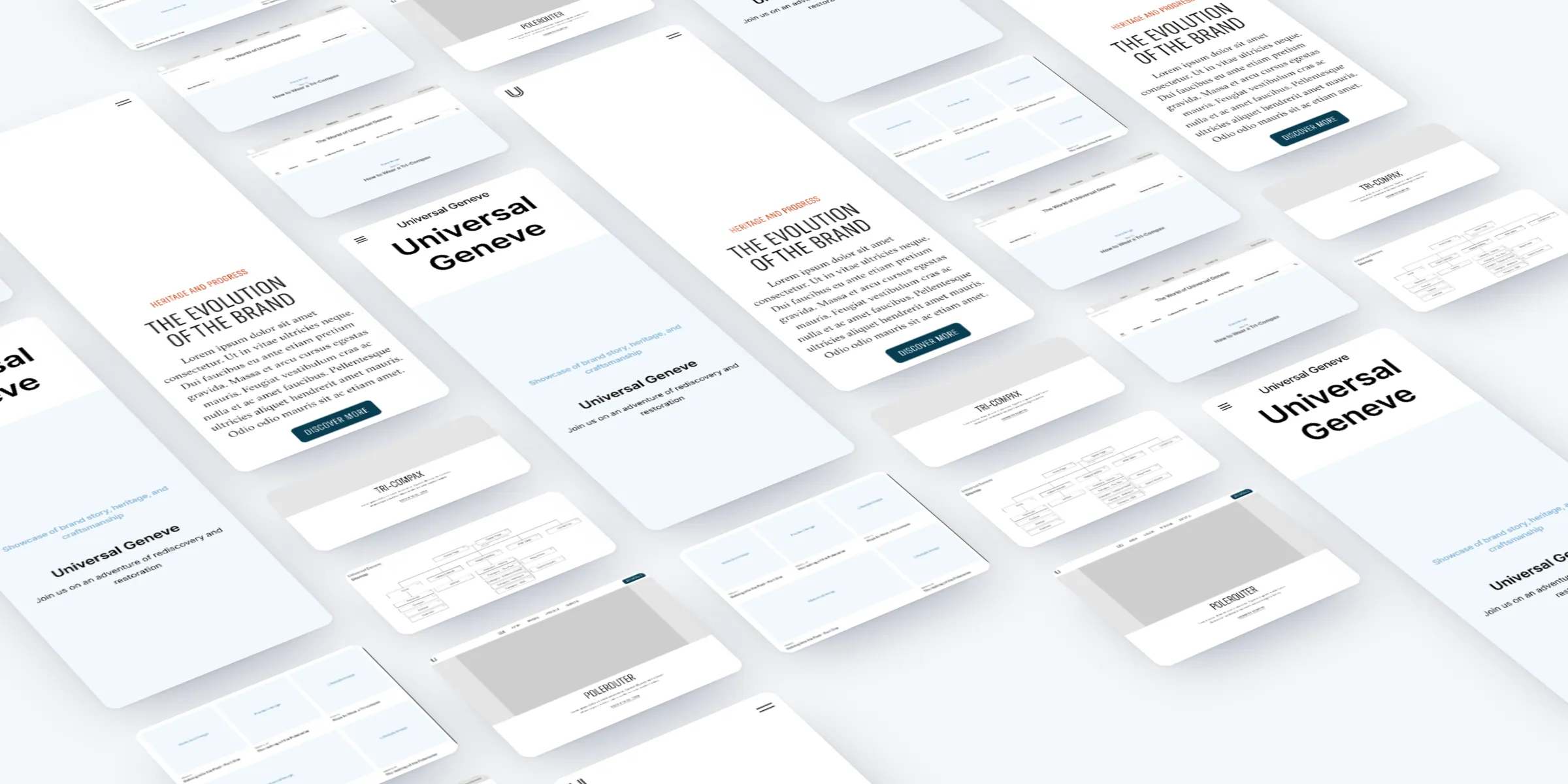
I articulated it through the sitemap, wireframes for every template on desktop and mobile, refined over rounds of client feedback, and the first batch of UI designs.
What we did
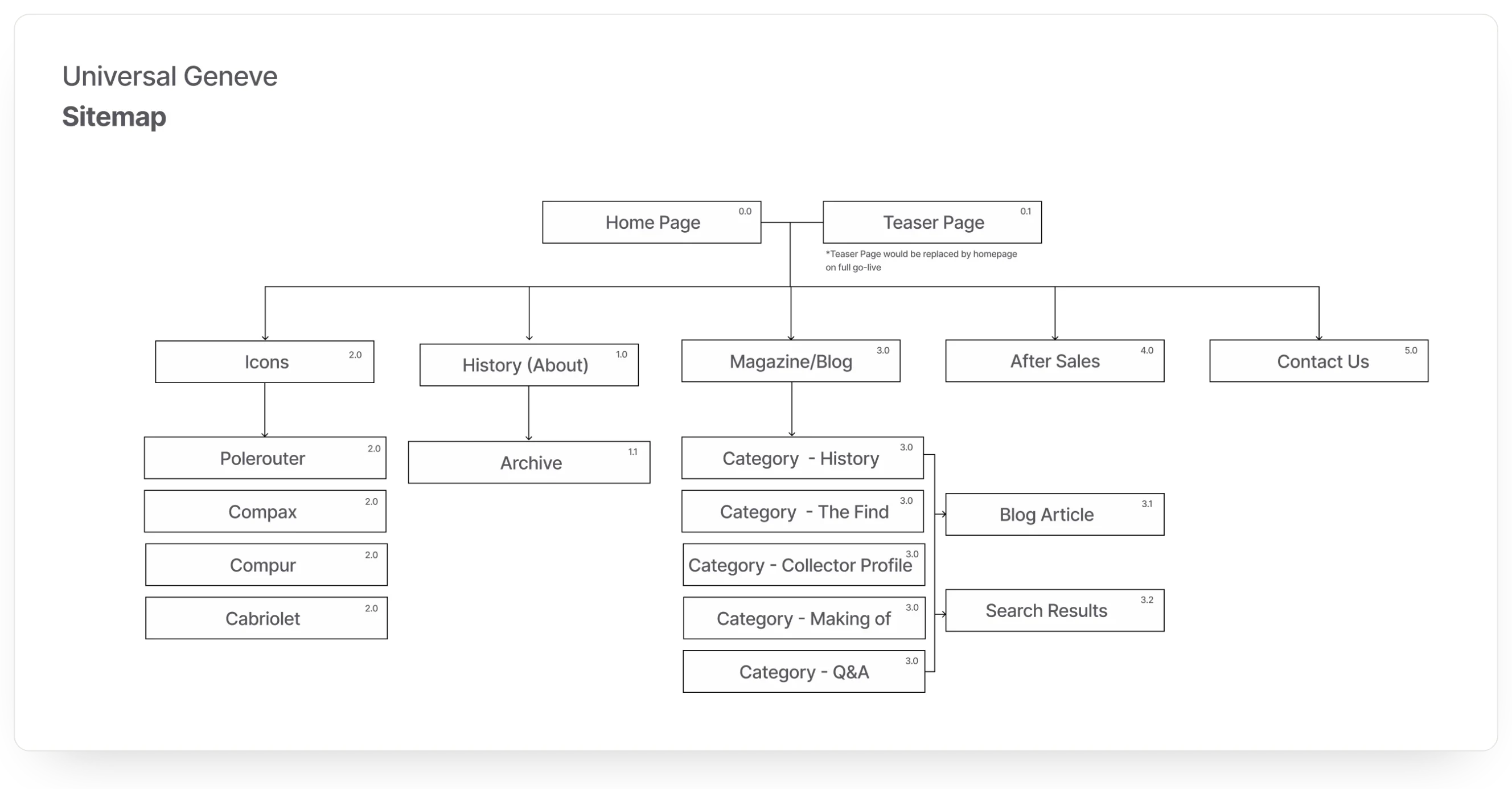
- Defined the sitemap: Icons, History, Magazine, After Sales and Contact, with a teaser page for launch.
- Gave each of the brand's icons its own page: Polerouter, Compax, Compur and Cabriolet.
- Planned the magazine around five categories: History, The Find, Collector Profile, Making Of and Q&A.
- Wireframed every template for desktop and mobile, from the homepage to articles and contact.
- Ran feedback rounds in Figma with the Universal Genève team and folded each into the next version.
- Designed the first batch of UI: homepage, history, icons, after sales, contact and navigation.
Sitemap
We started with the structure. Five sections sit under the homepage: Icons, History, Magazine, After Sales and Contact. A teaser page would hold the address until the full site went live. History has its own archive, and the magazine runs through its categories into articles and search.
Wireframes
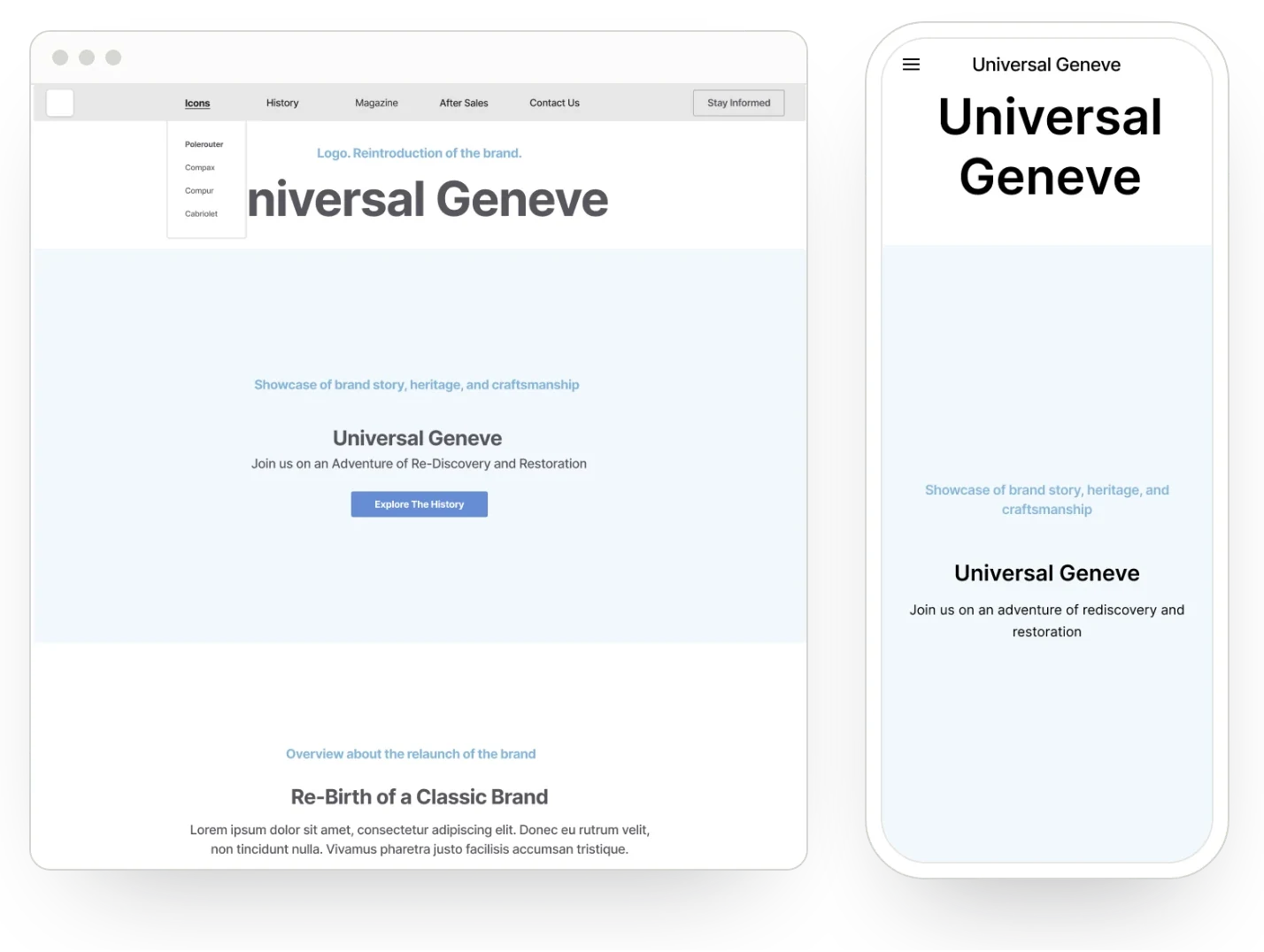
We wireframed every template for desktop and mobile: the homepage, history and archive, the icons landing and detail pages, the magazine landing, categories and articles, after sales, contact and the teaser.
Each one set out the content it needed, from a collage of vintage adverts to a collector interview and a quote from the watch press, so the brand team could plan words, images and video early.
Client feedback
We set up a page in Figma for the Universal Genève team, with simple steps for leaving comments and a request for detailed feedback on text, image and video. Each round went straight into the next version of the wireframes.
Collections became Icons, and a fourth, the Cabriolet, joined them. One entry point to the icons landing page replaced separate links to each collection. We added a three-column grid, an article module, two options for a featured article at the top of the magazine, explorations for the history page's key moments, and a simple terms page.
Magazine
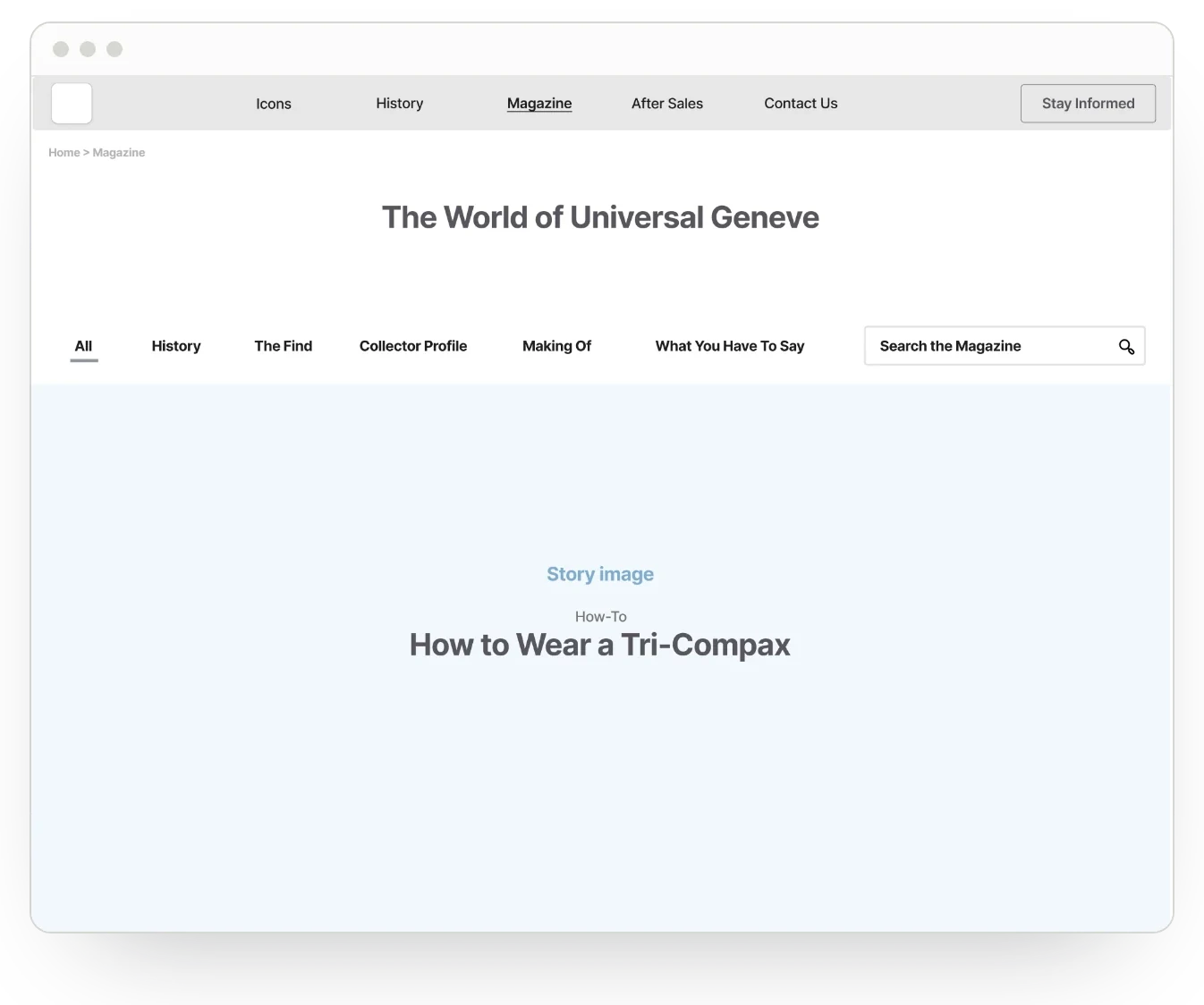
The magazine is the heart of the editorial hub. Readers can browse everything, filter by History, The Find, Collector Profile, Making Of and What You Have To Say, or search. A featured story leads the page, followed by a grid of stories that mixes historical, product and lifestyle imagery.
UI design
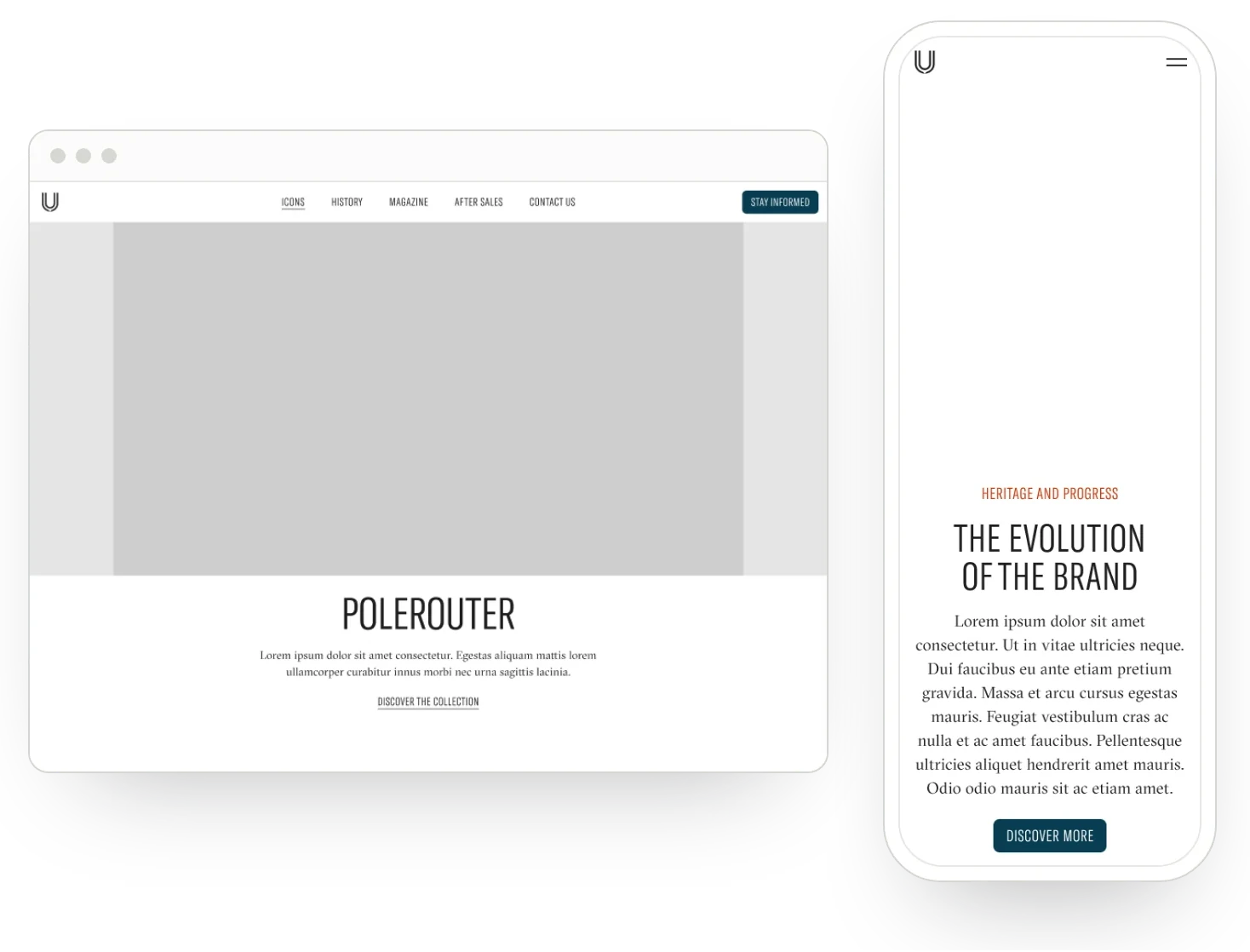
The first UI batch took the wireframes into the brand's look: condensed capitals for headlines, a classic serif for reading, and a restrained palette of deep teal with a warm red accent. It covered the homepage, the history page, the icons landing and detail pages, after sales, contact and the navigation, each for desktop and mobile.
The result
A clear structure and a full set of templates for Universal Genève's new website: a sitemap, wireframes for every page on desktop and mobile, refined over rounds of client feedback, and the first batch of UI designs, all built around the brand's icons, its history and its collectors.