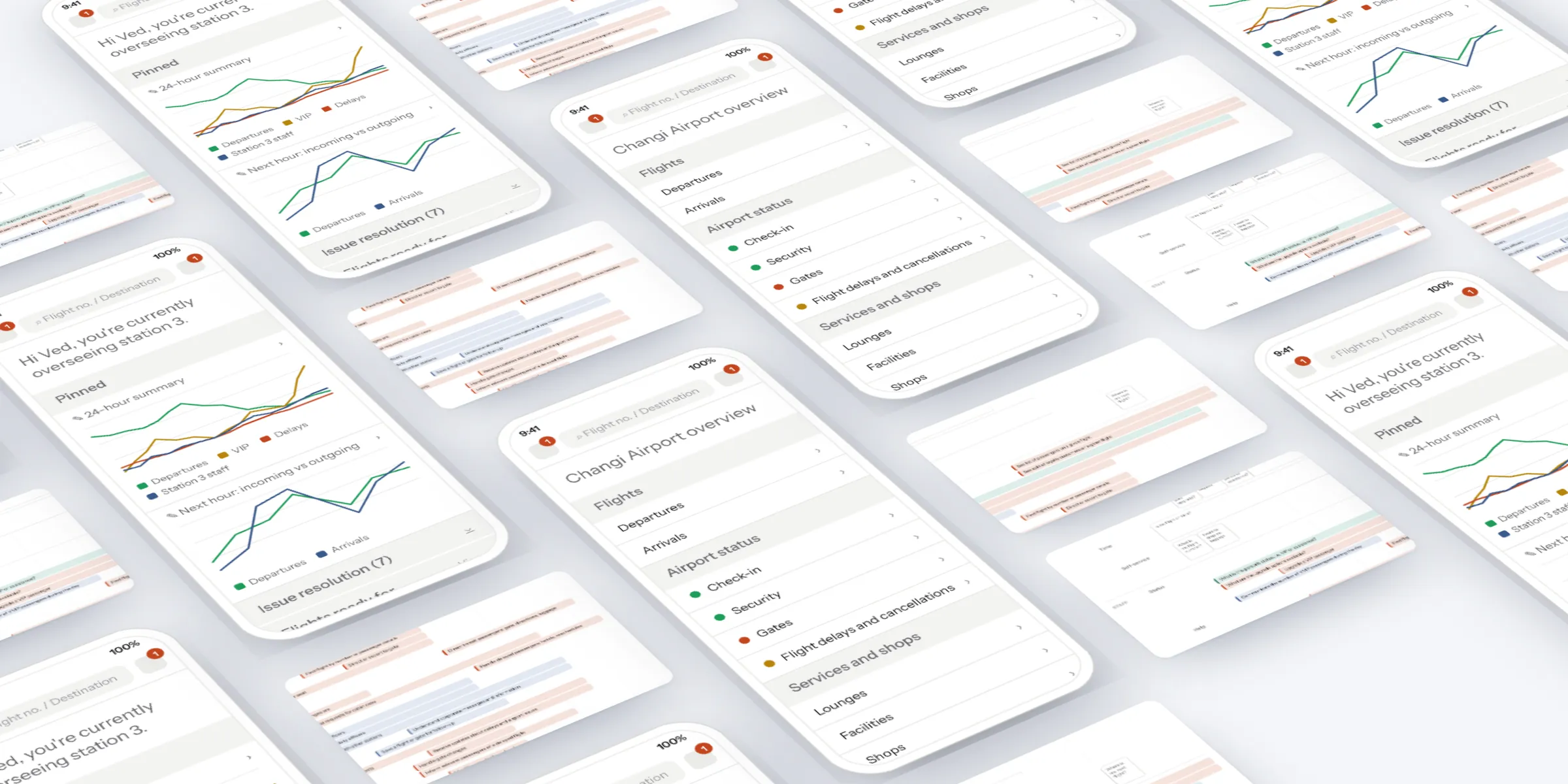
The brief
Give Singapore Airlines' ground staff one mobile tool for the working day: see their assignment, help passengers, track flights and act on delays, with a view shaped to each role.
The challenge
Ground staff work across four zones: check-in and priority desks, the lounge, gates and transit, and departures and arrivals. Duty officers and station managers share some tasks and own others, from directing transit passengers to their gate to upgrading a VIP.
My role
My experience department at Born ran this work. I set the strategy and led the research and workshops with the team.
I articulated it through a task map of every ground staff role across the airport, and low-fidelity wireframes for 11 flows, from check-in and gate dashboards to passenger detail and notifications.
What we did
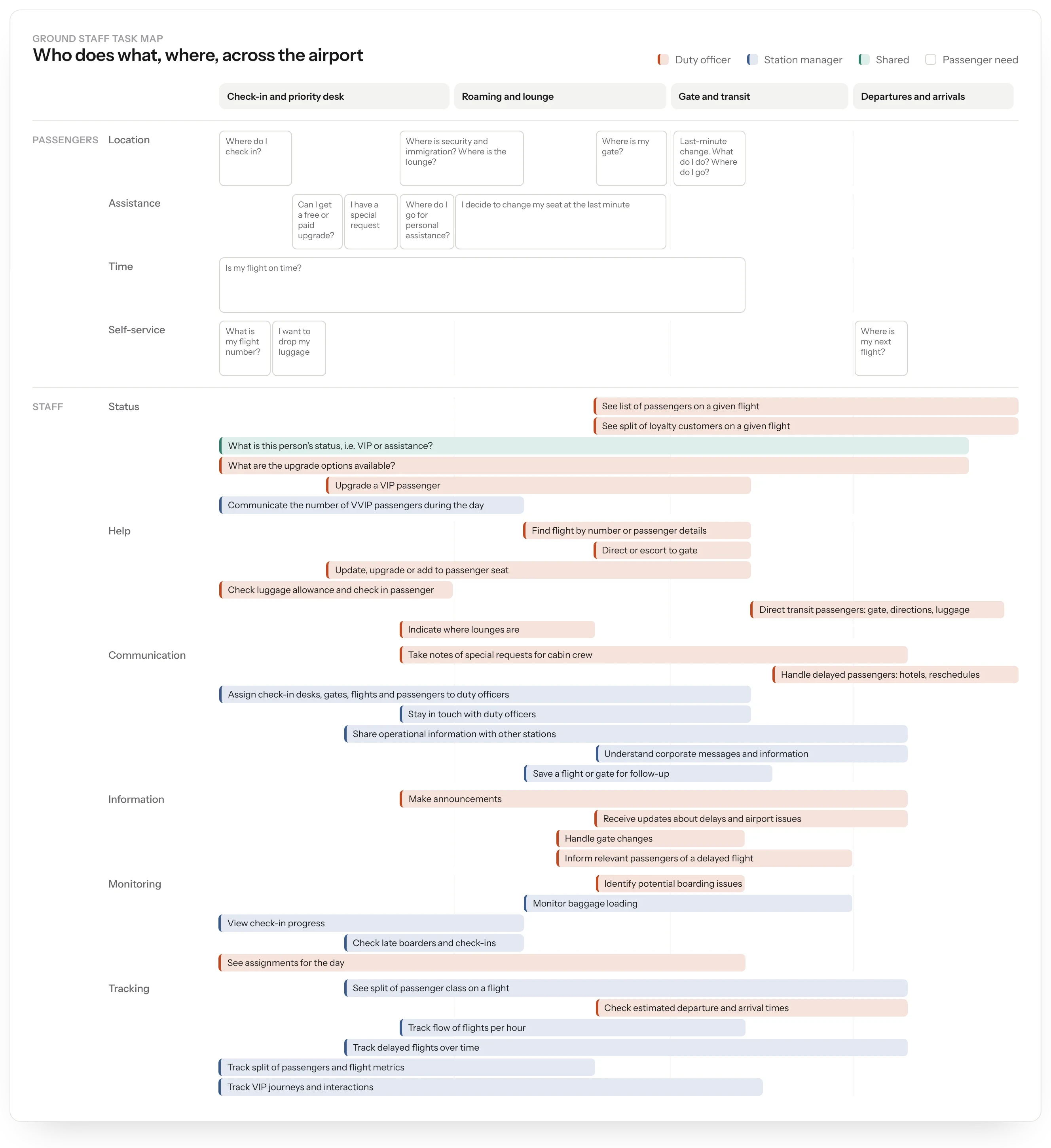
- Mapped every task across four zones, by role: duty officer, station manager or shared.
- Designed role-based dashboards that open on the job in hand.
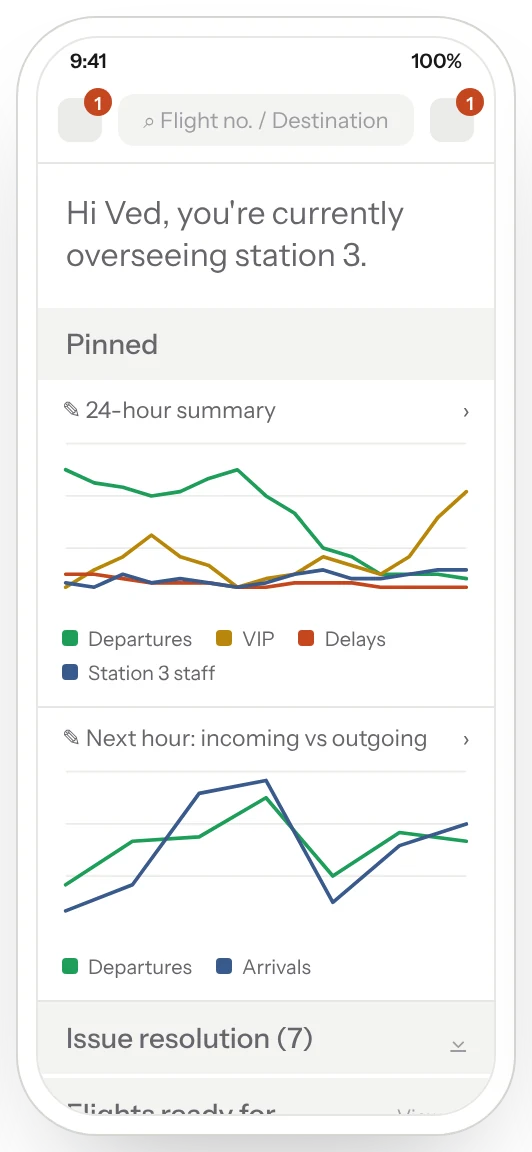
- Gave station managers pinned widgets for delays, VIP and special assistance passengers, connections and open issues.
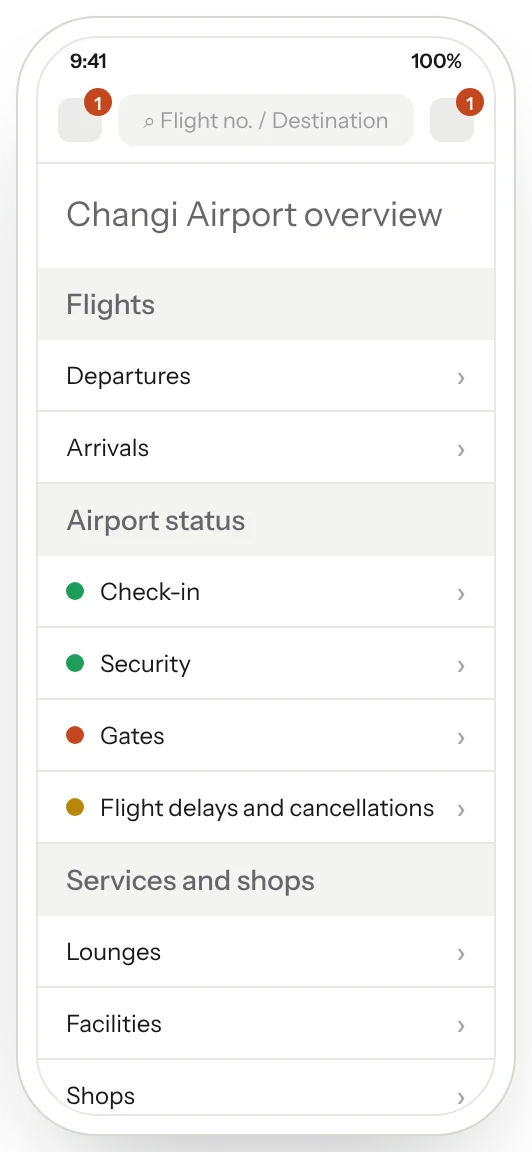
- Built an airport overview: flights, check-in, security and gate status, delays, services, lounges and a map.
- Designed for both reacting to the day and planning ahead.
Task map
We started on paper, mapping what passengers ask for and what ground staff do across four zones. Each task was tagged as a duty officer task, a station manager task or shared, and grouped by type, such as location, assistance, passengers, status and communication.
Passenger needs ran from “Where is my gate?” to “Is my flight on time?”. Staff tasks ranged from “direct passengers in transit with gate information” and “indicate where lounges are” to “upgrade a VIP”.
Role dashboards
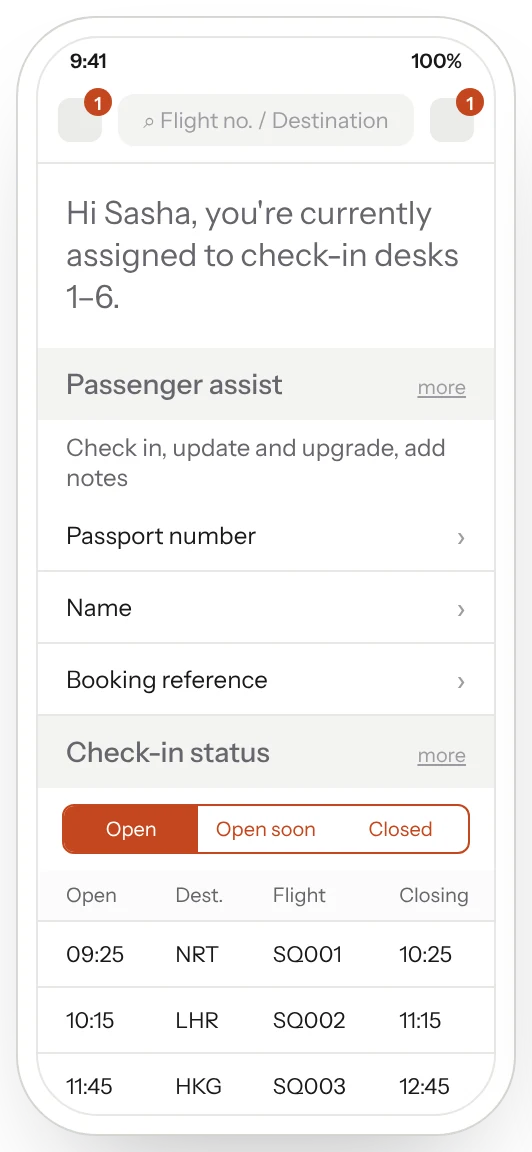
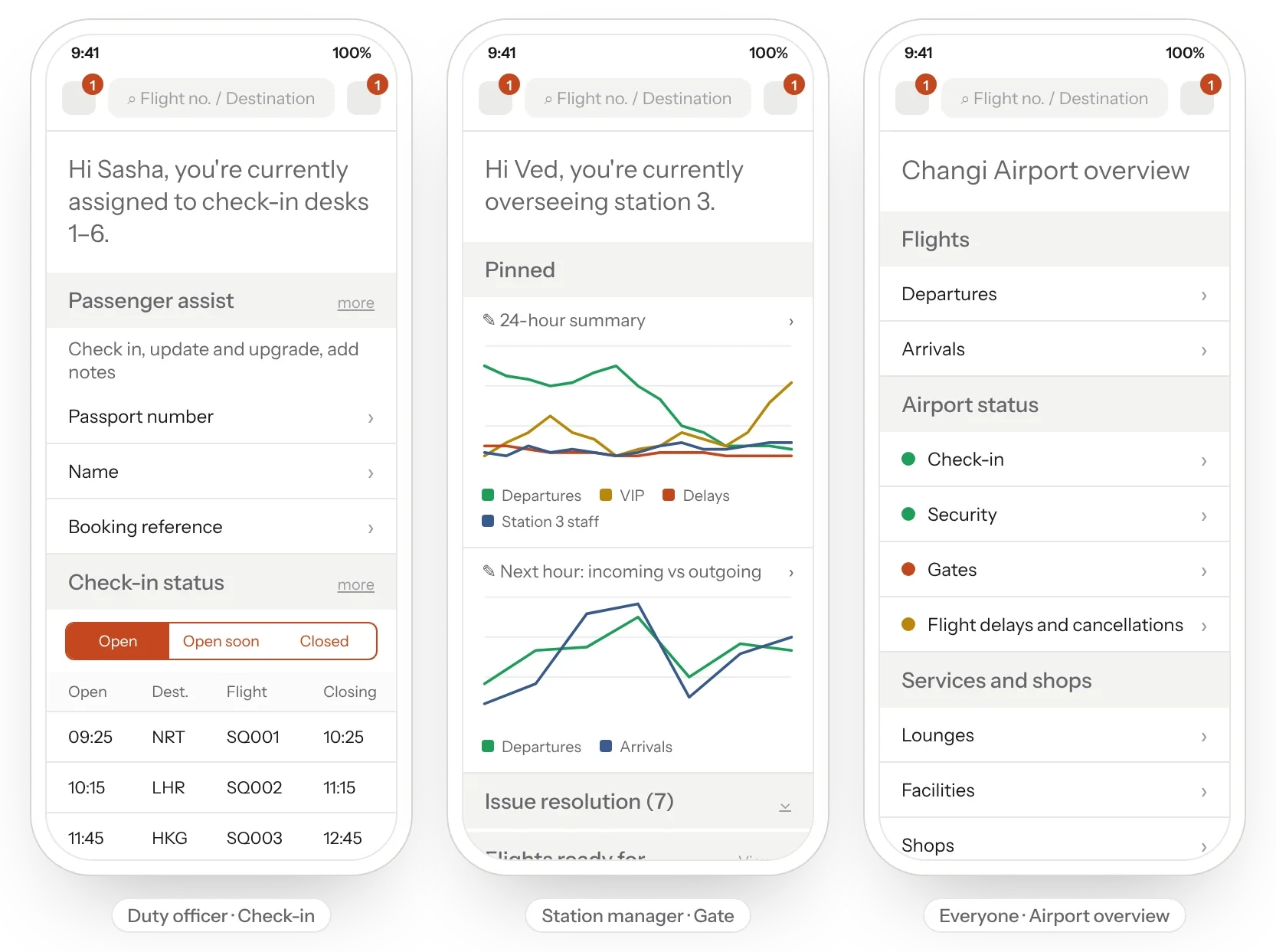
Each role opens on its job. A duty officer at check-in sees their desks (“Hi Sasha, you're currently assigned to check-in desks 1–6”), the check-in status of each flight, and a passenger search by passport, name or booking reference.
A station manager oversees a station with pinned widgets: a 24-hour summary, departure delays, VIP and special assistance passengers in the next hour, connections, open issues and flights ready to board.
Airport overview
An airport overview put the wider picture in one place: flights, check-in, security and gate status, delays and cancellations, services and shops, lounges and a map. Staff could react to what was happening now, or analyse what was coming and plan ahead.
The result
A role-based concept across 11 flows, from check-in and gate dashboards to passenger detail and notifications. Each role opens on the job in hand, and everyone shares the same live picture of the airport.