The brief
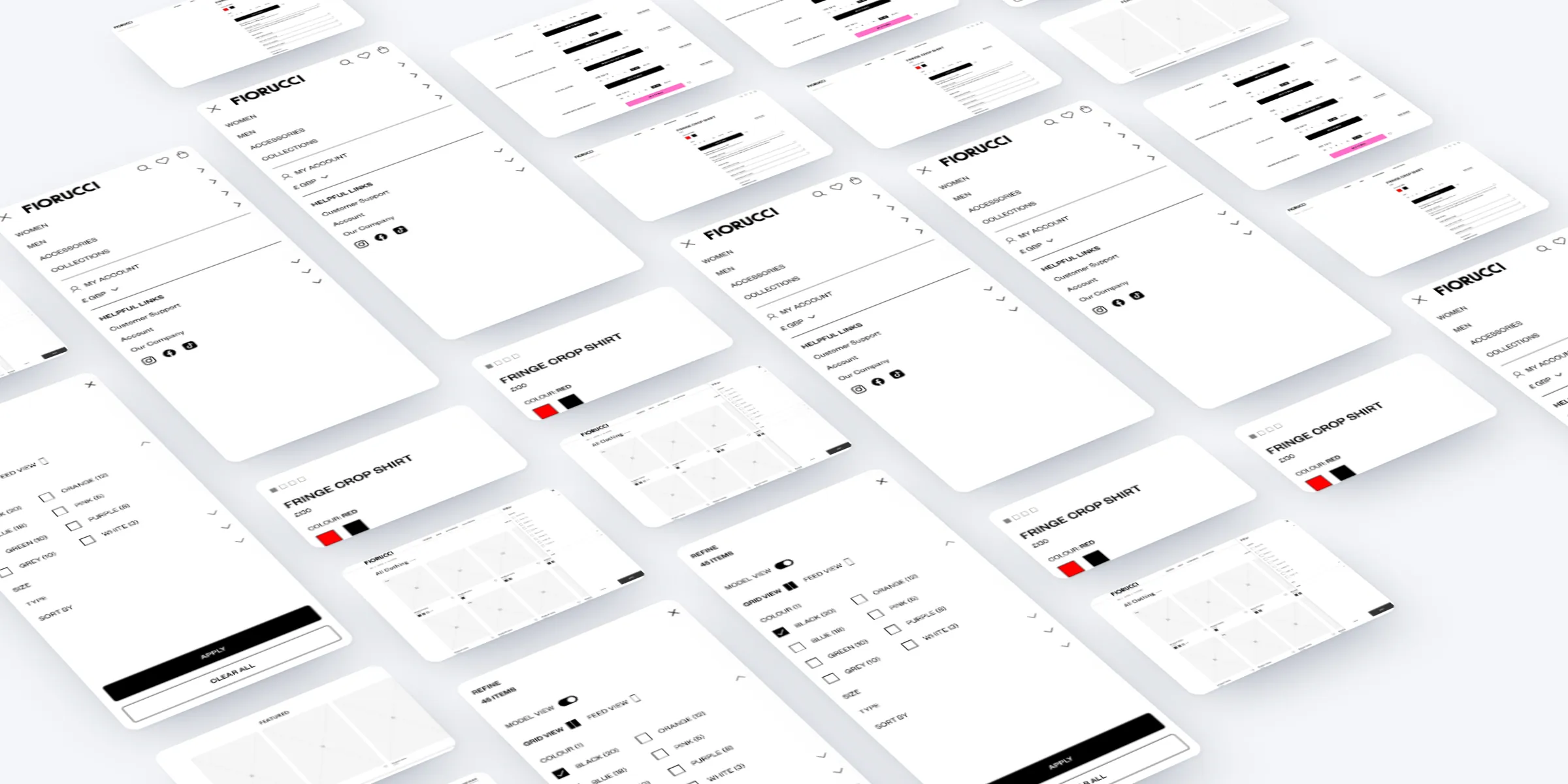
We redesigned Fiorucci's online store for desktop and mobile: the homepage, campaign and collection pages, navigation, listings and product pages, with a component library and clickable prototypes behind them.
The challenge
The store had two jobs. It had to carry a loud, playful brand: campaigns, video, a messaging ticker and collections such as Collection Zero and the Angels.
And it had to make shopping simple: clear navigation, useful filters, and sizing and add to bag that work just as well on a phone, with ways to spread the cost in view.
My role
My experience department at Born ran this work. I set the UX strategy and led the research and benchmarking with the team.
I articulated it through competitor benchmarks, wireframes for desktop and mobile, a component library, UI designs, interaction states and prototypes.
What we did
- Benchmarked luxury fashion sites, from Prada and Miu Miu to Gucci, Balenciaga and Moncler.
- Wireframed the homepage, campaign pages, listings, product pages and zoom for desktop and mobile.
- Built a component library: header, messaging ticker, promo banners, content grids, carousels, product tiles and buttons.
- Designed the UI, from the homepage logo animation to collection pages, filters and product pages with zoom.
- Mapped the add-to-bag states and built prototypes for the homepage, menu, collection, listing and product pages.
Benchmarking
We started by looking at how luxury fashion sites handle the same jobs: Miu Miu, Prada, Gucci, Givenchy, Dolce & Gabbana, Balenciaga, Moncler and Ferragamo. We studied how they open their homepages with image and video, run campaign pages, show search results, and handle product images and zoom.
Wireframes
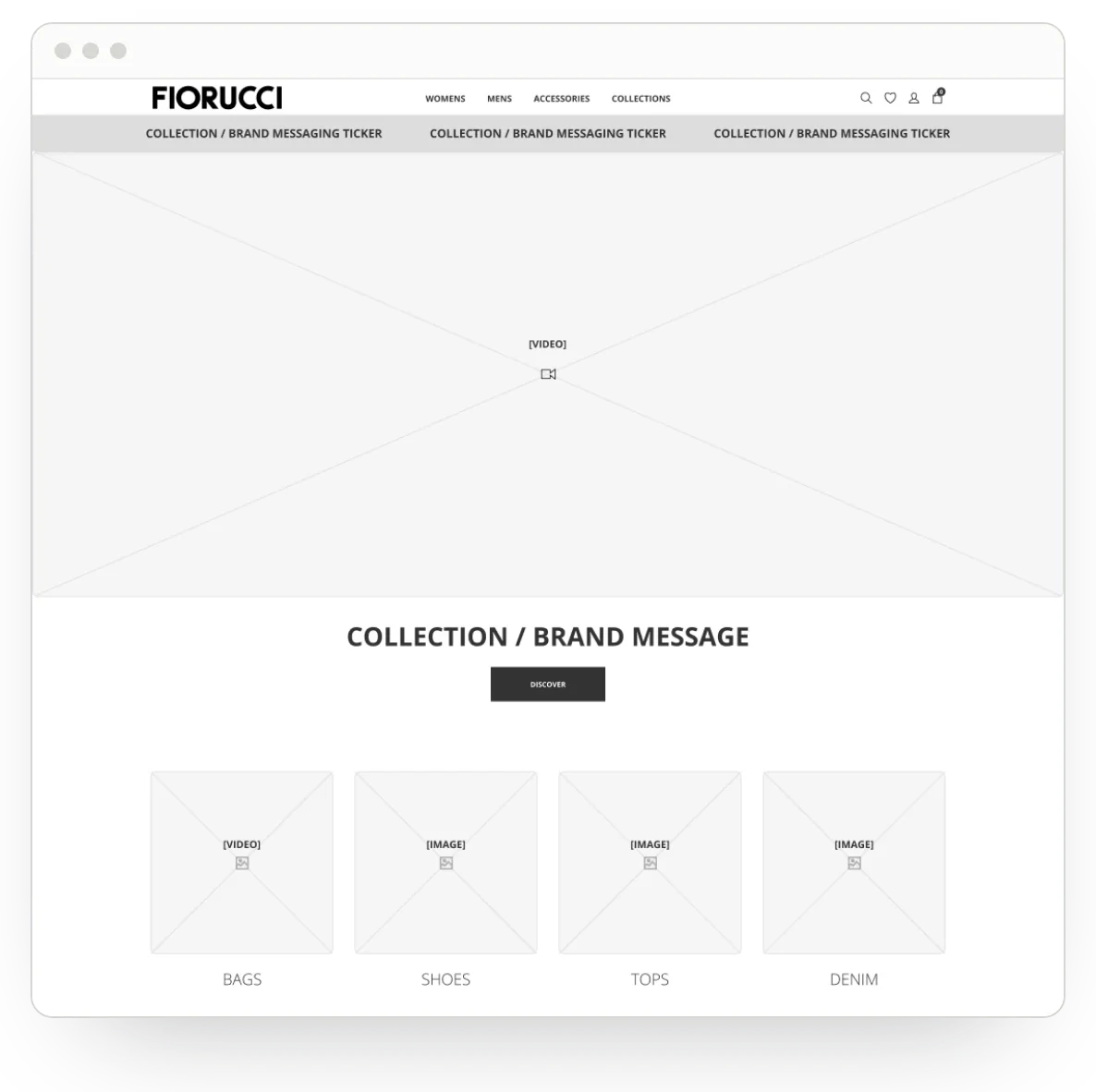
The wireframes were built from one set of components: a global header, a collection and brand messaging ticker, promo banners, content grids, carousels, product tiles and calls to action.
The homepage opens on video, then a collection message, categories such as bags, shoes, tops and denim, new arrivals for women and men, featured products and Fiorucci Social, with links to shop Instagram and TikTok. Three service promises sit above the footer: flexible payments, free shipping over £40 and discounts for members. We also tried alternatives, such as two full-width modules stacked for brand and campaign content.
Navigation and listings
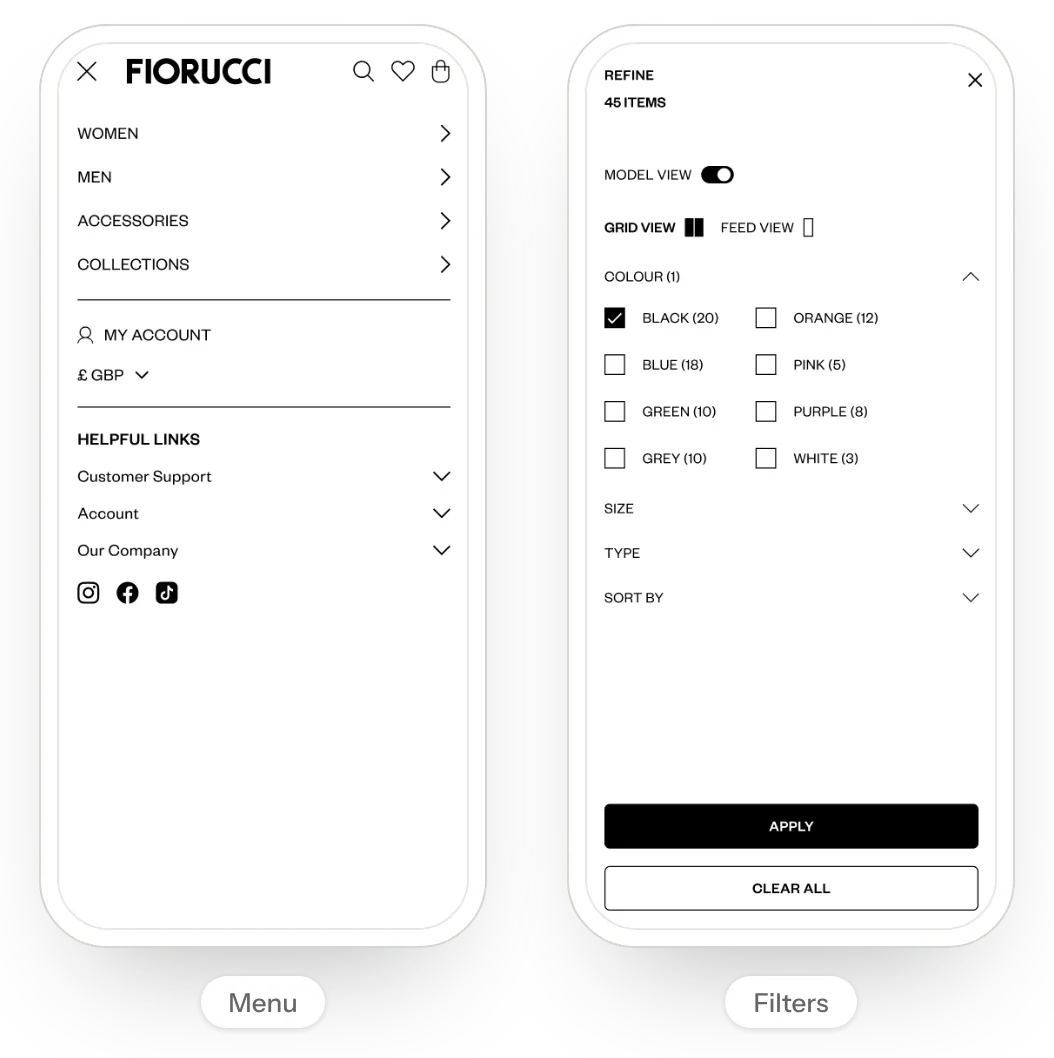
The menu leads with Women, Men, Accessories and Collections. Under each, Latest brings forward new clothing and accessories, Collection Zero and Most Wanted, alongside every clothing category, the Archive and the Outlet. On mobile, helpful links for support, account and the company sit below the main menu.
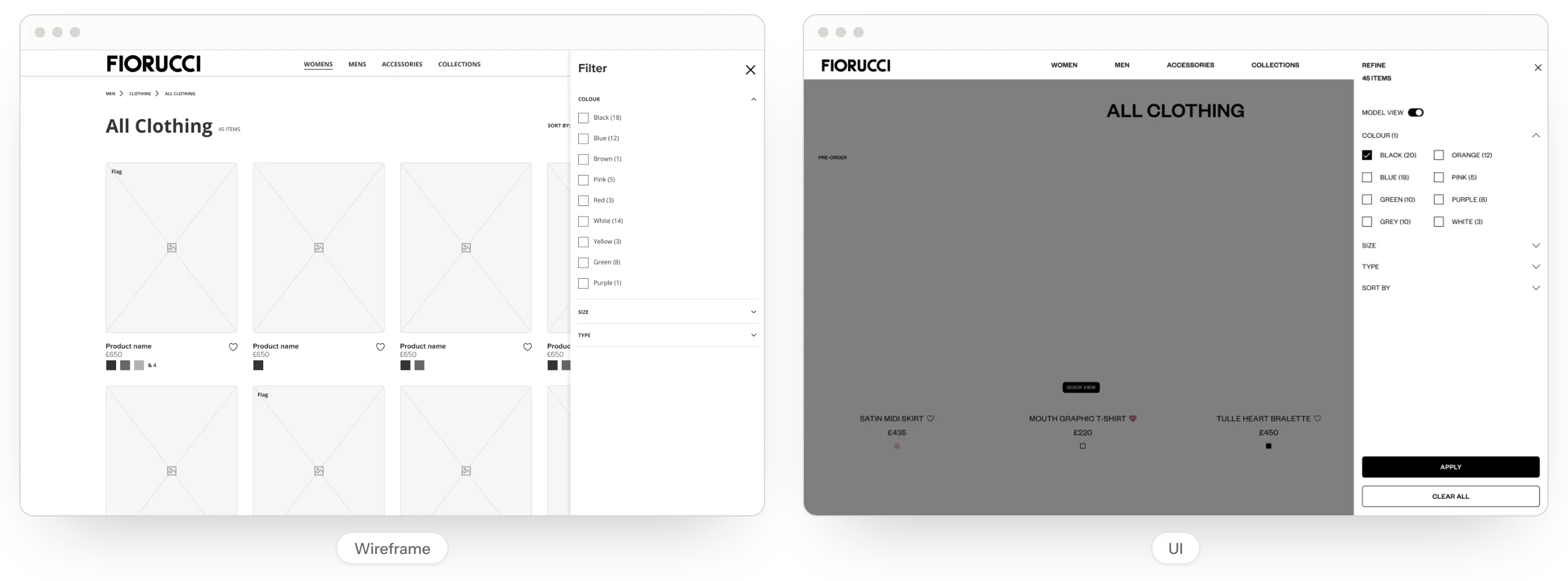
Listing pages show the number of items and filter by colour, size and type, with a count next to each option. In the UI, shoppers can switch to model view, and on mobile choose between a grid and a feed. Quick view and pre-order flags let people act straight from the listing.
Product pages
Product pages keep size, colour and add to bag together, with low stock messages, a size guide, size and fit advice, care, delivery and returns. Klarna and Clearpay messages show that people can spread the cost, and the add-to-bag block stays in view as you scroll.
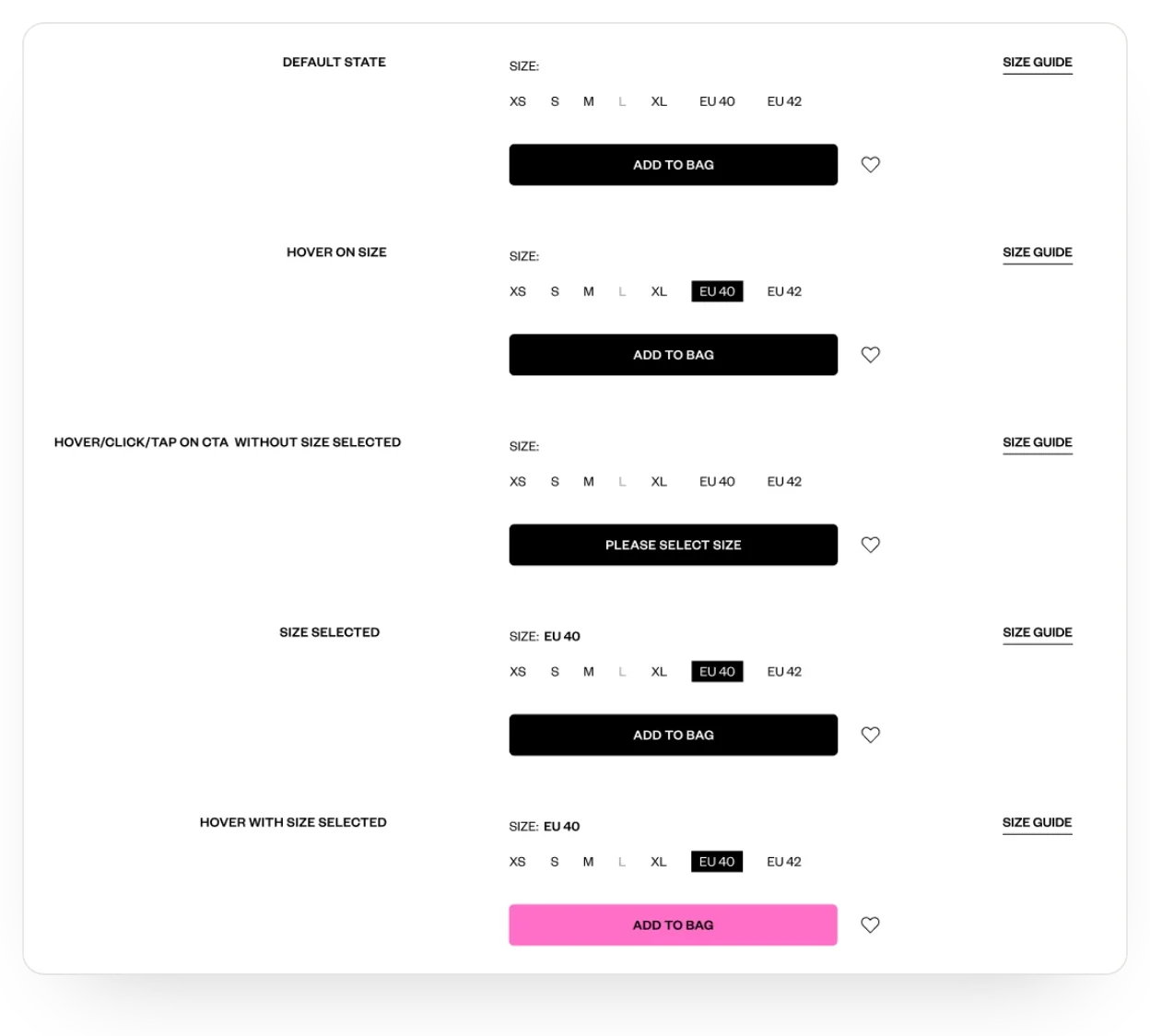
We mapped every add-to-bag state: default, hovering on a size, pressing the button with no size chosen, a size selected, and hover. Sizes covered EU sizes for women and men and US sizes, and zoom got its own views on desktop and mobile.
UI and prototypes
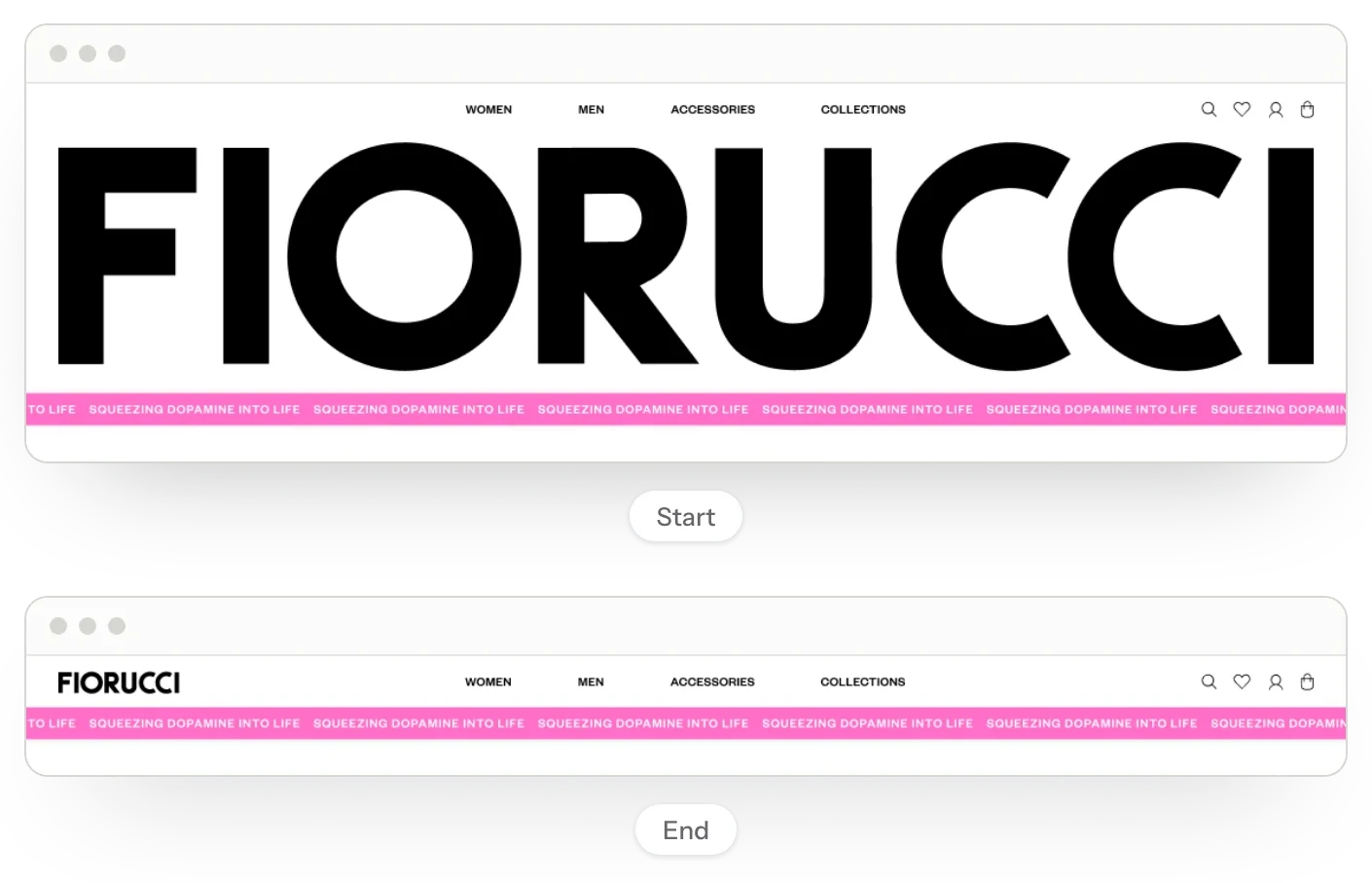
The UI keeps Fiorucci loud: a pink ticker that reads Squeezing Dopamine Into Life, and a homepage logo animation that takes the full-width logo down into the header. Collection and campaign pages use overlays to show the products in each image.
We built prototypes for the logo animation, homepage, menu, collection, listing and product pages, so the team could click through each journey. Simple rules kept the components consistent, for example buttons with a minimum width of 90px that keep 16px of padding as they grow.
The result
Fiorucci got a complete design for its online store: benchmarks, wireframes and a component library for desktop and mobile, UI with the key interaction states, and prototypes for each main journey.